
WP Social Ninja Review: A Complete Social Media Plugin for WordPress
You search for a social media plugin. You find one for reviews. Another for feeds. Another for chat.
And before you know it, you’re installing 3-4 plugins just to make your site feel active and trustworthy.
It works, but it also feels messy.
That’s where tools like WP Social Ninja come in.
This plugin is built to solve one simple problem. Most WordPress sites struggle to show real social proof without relying on multiple plugins.
Instead of managing separate tools for reviews, feeds, and chat, it brings everything into one place. The result is a site that looks more active, builds trust faster, and requires less manual work to maintain.
In this review, I’ll cover what the plugin offers, why it’s useful for WordPress users, and how its features support business growth.
- WP Social Ninja solves a common WordPress problem by combining reviews, social feeds, chat, and testimonials into one plugin instead of multiple tools
- Social proof directly impacts conversions, and keeping it updated automatically helps build trust faster
- The plugin reduces maintenance effort with auto-sync features for feeds and reviews
- It improves user engagement by turning static websites into interactive, content-rich experiences
- Businesses can manage everything without coding, making it accessible for non-technical users
- Strong customization and filtering options give full control over what content is displayed
- It’s especially useful for local businesses, agencies, and WooCommerce stores that rely on trust signals
- The free version is enough to get started, but advanced features are locked behind the pro plans
What Is WP Social Ninja?
WP Social Ninja is a WordPress social media plugin that lets you display your social media content, customer reviews, and chat widgets directly on your website.
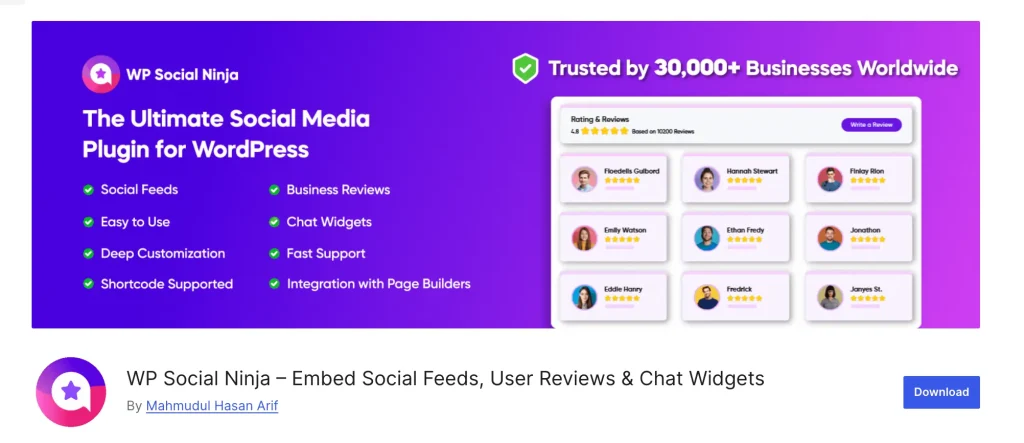
You connect your accounts once, and it pulls in your reviews, feeds, and chat options. New reviews come in? They update on your site. New posts on Instagram? They show up, too. You don’t have to touch anything manually.
According to Forbes, 98% of consumers read online reviews before making a purchase decision, which means keeping your social proof updated can directly impact your conversions.
At its core, WP Social Ninja works in a few key ways:
- Embeds social media feeds from Instagram, Facebook, YouTube, and TikTok
- Displays business reviews from 10+ review sites like Google, Yelp, Facebook, TripAdvisor, WooCommerce, and others
- Adds chat widgets from 16+ platforms like WhatsApp, Messenger, Telegram, Viber, Microsoft Teams and others
- Shows detailed customer feedback with testimonials
- Highlights recent reviews through notification pop-ups
- Supports custom review sources, making it easy to show reviews from other sites
It comes from WPManageNinja team; you might already know us from Fluent Forms or FluentCRM. This follows the same idea of keeping things simple and easy to manage.
Check WP Social Ninja Features
Who Is This Plugin for?
Before going deeper, it helps to know if this is even the right kind of tool for you.
It works well for:
- Local businesses like small shops, service providers, local agencies, and restaurants that want Google and Yelp reviews visible on their site without any technical work
- WooCommerce stores that want to show product reviews and build purchase confidence
- Service brands, consultants, coaches, agencies, where trust is everything, and social proof is what converts hesitant visitors
- Agencies managing multiple client websites (there’s a 25-site license for this)
- Anyone who prefers a single solution instead of managing multiple tools
It’s probably not the right fit if:
- You’re looking for a fully free tool with no restrictions
- You need a social media scheduling or publishing tool, this is about displaying and interacting, not posting
If this matches what you’re looking for, you can get started with the plugin without any confusion.
Why Use WP Social Ninja?
If you want your site to look active, trustworthy, and easier to act on, a social media plugin can help in a few practical ways:
- Build trust faster: Real reviews, testimonials, and social proof make visitors more comfortable buying or enquiring
- Keep your site looking active: Show regular social updates to make it feel fresh and alive
- Reduce plugin clutter: Instead of using separate tools for reviews, feeds, and social contact options, you can manage more from one place
- Save time on updates: Your content updates automatically, so you don’t need to refresh or manage it manually
- Improve engagement: Instead of a static page, visitors get interactive social content
- Support conversions: Social proof and contact options help move people from curiosity to action
- Build trust through different channels: Show users feedback from platforms people already rely on
- 100% responsiveness: Your feeds, reviews, and widgets adjust perfectly on all devices, so the site looks clean and works smoothly on mobile, tablet, and desktop
Key features of WP Social Ninja
The strength of this social media plugin is that it makes managing social proof simple, quick to set up, and packed with useful features.
Let’s take a closer look at what WP Social Ninja offers and how each feature works in real use:
Social Feeds
You can embed social feeds to display real-time content from your social media accounts directly on your website. It helps you keep your site active, trustworthy, and automatically updated without manual effort.
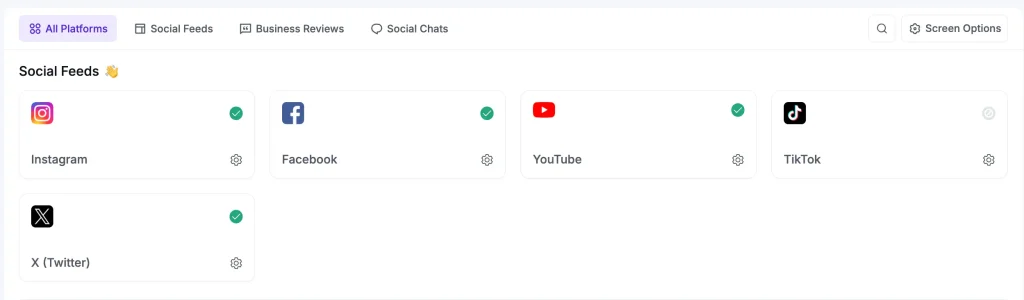
For social feed features, you will get:
- Connect and display feeds from Instagram, Facebook, YouTube, and TikTok
- Auto Sync keeps your content updated without manual refresh
- Multiple account support for managing different brands or client pages
- Flexible feed types including posts, videos, albums, events, hashtags, and live streams
- Multiple layout options like Grid, Carousel, and Masonry
- Show likes, comments, and captions for better social proof
- Shoppable Instagram feeds to link products directly from posts
- Filter content by keyword, hashtag, or date range (Facebook support)
- “Follow Us” button to help grow your social audience
- Load More option to improve engagement and keep users scrolling
Social Reviews
Customer feedback plays a big role in building trust on your website. This feature lets you collect, manage, and display your business reviews from multiple platforms in one place, keeping everything updated automatically.
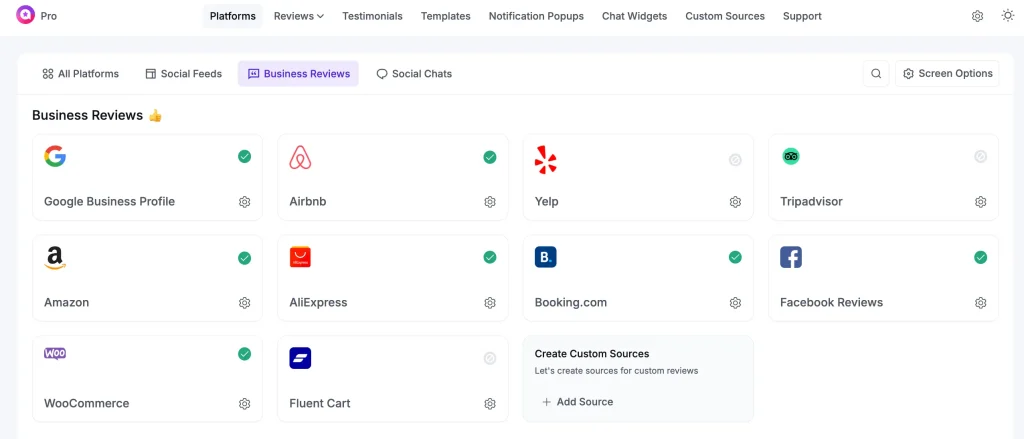
For social review features, you will get:
- Display reviews from 10+ platforms including Google, Yelp, Facebook, TripAdvisor, Booking.com, Airbnb, WooCommerce, AliExpress, and more
- Control and display reviews using filters, including rating-based selection and content moderation
- Hide, exclude, or highlight specific reviews to show the most relevant feedback
- Built-in spam protection to filter low-quality or unwanted reviews
- Add CTA button in review headers to encourage visitors to leave new reviews
- Schema markup support to display star ratings in Google search results for better SEO visibility
- AI review summarizer to generate quick overviews of customer feedback
- QR code generator to collect reviews instantly from offline customers (restaurants, gyms, clinics, etc.)
- Export and import reviews to easily migrate, back up, or reuse review sets across different sites
Chat widgets
This feature helps you talk to your website visitors in real time using a chat widget connected to popular messaging apps. It makes it easy for people to reach you in the way they already use every day.
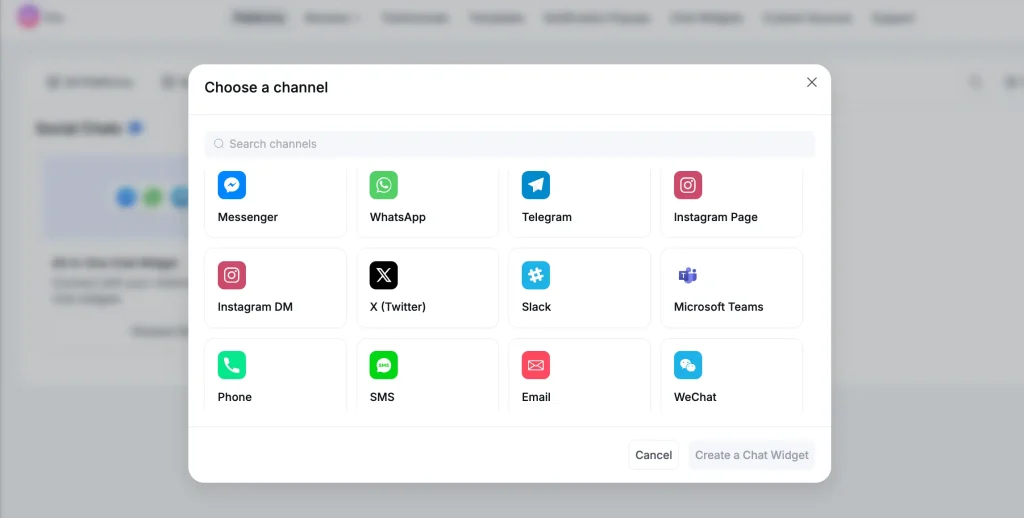
For chat widget features, you will get:
- Connect with 15+ platforms including WhatsApp, Messenger, Telegram, Viber, Instagram DM, Microsoft Teams, and more
- Create multiple chat channels so users can choose their preferred way to contact you
- Set a welcome message that appears first when the chat window opens
- Add a chat header with profile name, caption, and logo for branding
- Show prefilled messages to guide users and speed up conversations
- Customize chat button text and input placeholder
- Enable online/offline status display to show availability
- Show or hide chat based on specific pages or post types
- Control where the widget appears (entire site or selected pages only)
- Hide chat on desktop or mobile if needed
- Customize chat bubble icon, position, and optional label text
Testimonials
Not all valuable feedback comes from public platforms. With the testimonial widget, you can add those manually from emails, contact forms, client work, or direct conversations in a clean, structured way.
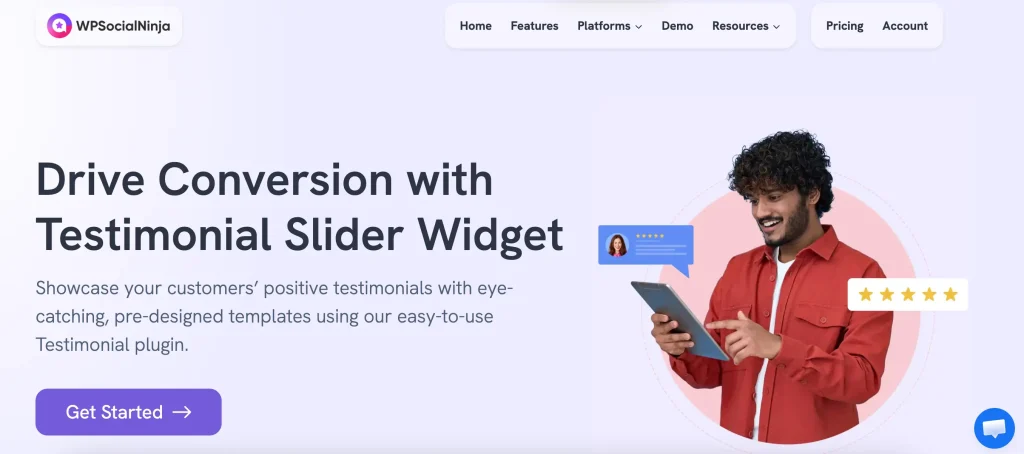
For testimonial features, you will get:
- Include full details like name, photo, job title, company name, website, and company logo
- Add ratings, titles, and full testimonial text to make feedback more meaningful
- Organize testimonials using categories for better control
- Filter testimonials by rating, keyword or category
- Show or hide elements like rating, name, image, company info, or date
- Choose how much content to display (full text or short excerpt)
- Select layout styles like Grid, Slider, or Masonry to match your design
- Control number of testimonials, order (newest/oldest), and pagination (Load More option)
- Fully customizable styling to keep everything consistent with your website
Notification Popup
This shows a small popup in the corner of your website highlighting recent reviews or social proof activity. This Notification Popup appears in a subtle way, not intrusive, but still noticeable enough to grab attention at the right moment.
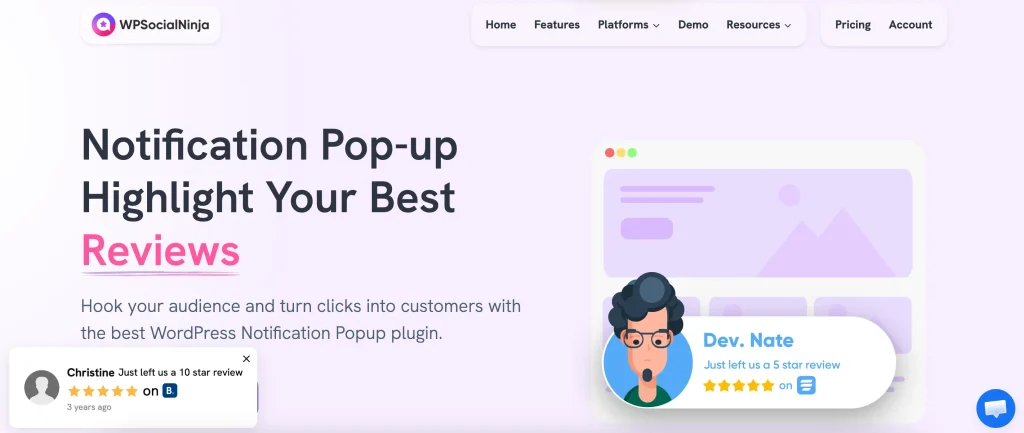
For Notification popup features, you will get:
- Show real reviews and ratings as small popups
- Pull content from multiple sources like Google, WooCommerce, Airbnb, Yelp, Booking.com, and more
- Set a custom notification title to highlight messages like “Just got a 5-star review”
- Control popup position (left/right, top/bottom corners)
- Decide where it appears (entire site or specific pages only)
- Exclude pages like checkout or thank you pages for better UX
- Show or hide on desktop or mobile devices
- Add a “Read all reviews” button to drive users to full review pages
- Let users click the popup to open full reviews in a lightbox view
- Show or hide review details like date or others
- Control timing with delay settings (when it appears, how long it stays, gap between popups)
- Enable close button so users can dismiss it easily
- Apply filters and styling to control which reviews appear and how they look
Custom Source
Use the custom source option when you want to display custom reviews that come from outside the built-in platforms WP Social Ninja supports. This feature lets you add and manage feedback from other sources, so you don’t miss out on valuable customer opinions.
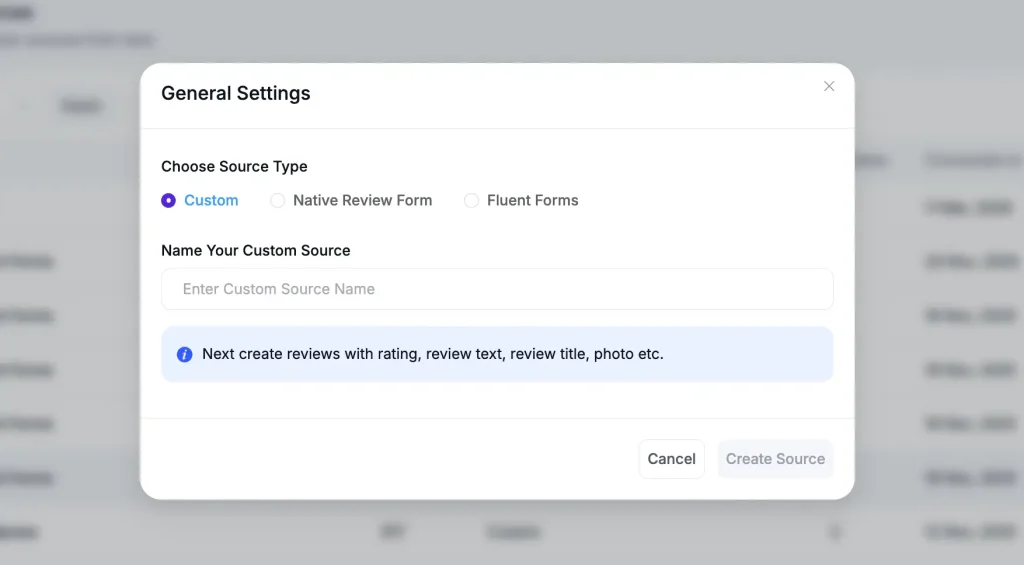
For custom review source features, you will get:
- Add custom reviews manually from any external source
- Import reviews using CSV files for bulk upload
- Collect reviews through forms like Fluent Forms and display them as social proof
- Create your own review source with custom name and logo for branding
- Use custom reviews alongside platform reviews in the same templates
- Control and edit review details like name, rating, content, and images
- Manage and organize custom reviews just like other review sources
- Fully compatible with review layouts and filtering options
Set up And Ease of Use
From setting up to using WP Social Ninja is quicker and easier. Install it from the WordPress plugin directory, activate it, and you’ll be guided through a simple onboarding flow. The setup feels clean and easy to follow, even if you’re using it for the first time.
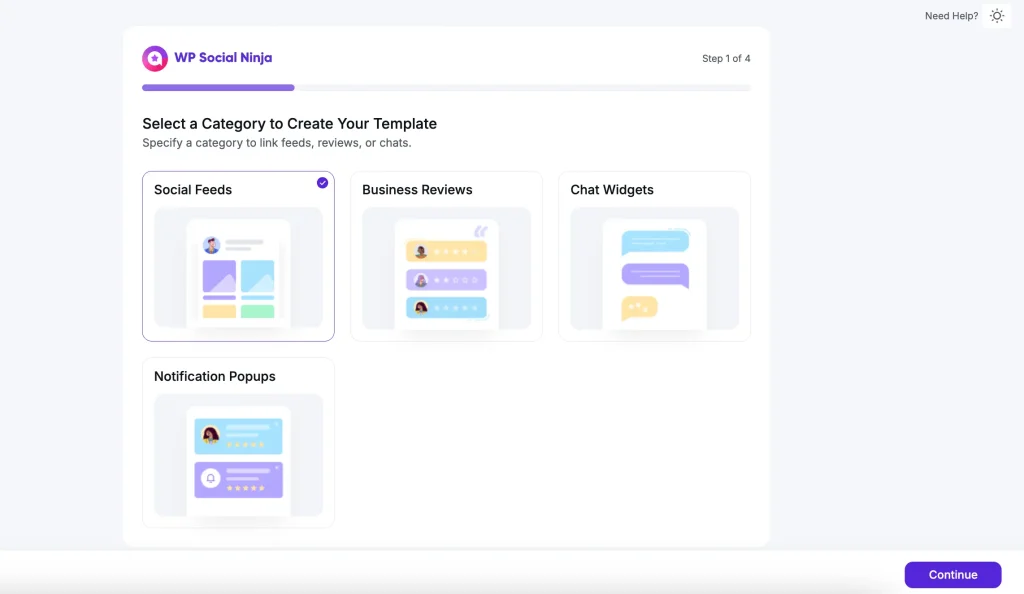
You’ll find creating anything is simple, whether it’s a social feed, reviews, or a chat widget. You can choose a template, customize it, and place it on your site directly from the easy-to-use dashboard.
You don’t need any coding knowledge to use it. It’s built so even non-technical users can handle everything easily, with detailed documentation available at docs.wpsocialninja.com for advanced needs.
Pros of WP Social Ninja
After going through the setup and features, here’s what makes WP Social Ninja easy to work with on a WordPress website:
- Everything in one place: You don’t need separate plugins for displaying social proof with different other plugins. It keeps things simple and easier to manage
- Auto/manual sync: Reviews and feeds stay fresh without manual work. You can also set manual sync or define specific time intervals for updates based on your needs
- Flexible design: You can style everything using built-in options without writing any CSS. It’s easy to match your website design without touching code
- Better control: You get bulk management options to handle content faster, along with spam control to keep everything clean and relevant
- Works with multiple accounts: Helpful if you manage more than one brand or location
- Error alerts: You get email notifications if something breaks, so issues don’t go unnoticed
- Image optimization: Feed images are optimized for better loading performance, helping your site stay fast
- GDPR compliance: User data protection features help you stay aligned with privacy regulations
- Free version available: You can start with the free version, which includes feeds from all the available platforms, reviews from Google and Airbnb, and chat options like Messenger, WhatsApp, and WhatsApp Business
- 24/7 support: You can get assistance anytime, whenever you need help.
Cons
The free version has some limitations. It’s great for trying things out, but many advanced features, such as AI summaries, the QR code generator, and additional review platforms, are available in the pro version.
Pricing
A free version is available on WordPress.org, giving you access to basic feeds, reviews, and chat features to test how it fits your website setup.
The pro plans (After a discount):
Save 50%
1 Domain License
Super Saver
Save 50%
Save 50%
Unlimited Domain License
*Grab a special discount on your first year with us!
Special Note: Take a closer look at the WP Social Ninja Free vs Pro comparison to understand what’s included in each version and decide which plan fits your website’s needs best.
How It Compares to Alternatives
While most plugins focus on doing one thing well, WP Social Ninja takes a different approach by bringing everything into one place.
Here’s a simple comparison between WP Social Ninja and other popular alternatives:
| Category | WP Social Ninja | Smash Balloon | Elfsight | Spotlight |
|---|---|---|---|---|
| Core Focus | All-in-one social proof (reviews, feeds, chat) | Social feeds (separate add-ons) | Multi-purpose widgets | Instagram feeds only |
| Content Types | Reviews + social feeds + chat + testimonials | Social feeds and reviews | Social feeds, reviews and chat widget | Instagram only |
| Review Support | Yes (10+ review sites) | Yes (4+ review sites) | Yes (10+ review sites) | Not Available |
| Chat Support | Yes (16+ Platforms) | No | Yes (5+ Platforms) | Not Available |
| Customization | Available | Available | Available | Available |
| Shoppable feed | Available | Available | Not Available | Available |
| Pricing Model | Annual license | Per plugin/feed pack | Monthly subscription | Annual license |
If you want a more detailed breakdown, check the full comparisons here to see how WP Social Ninja performs against other plugins.
Is This the Right Fit for You?
People rely on social media more than ever to decide who to trust. So your website needs to stay active and connected.
WP Social Ninja helps you do that by bringing your social presence directly into your site. From reviews and social feeds to chat and testimonials, everything works together in one place.
Instead of juggling multiple tools, you get a setup that’s easier to manage and keeps your site updated with real content. The features focus on practical use, so you spend less time managing and more time engaging.
It may not be suitable for every use case. But if your goal is to build trust, stay visible, and keep your website active with social proof, it’s a solid choice.
FAQ
Does it work with Gutenberg and Elementor?
Yes, WP Social Ninja supports Gutenberg blocks, Elementor, and shortcodes. Works with theme builders like Elementor, Oxygen and Beaver.
How many platforms does it support?
WP Social Ninja supports 30+ platforms across reviews, social feeds, and chat. This includes Google, Yelp, Facebook, TripAdvisor, Booking.com, Airbnb, WooCommerce, Instagram, TikTok, YouTube, WhatsApp, Telegram, Messenger, Viber, and more.
Do reviews update automatically?
Yes. Auto-sync keeps your displayed reviews current. You can also use the manual syncs when needed.
Will it slow down my site?
No, it stores feed images locally and avoids unnecessary external calls, so your site speed stays stable.
Is it GDPR compliant?
Yes. It includes built-in GDPR compliance features to help you manage user data safely and meet privacy requirements.
Can I control which reviews show up?
Yes. You can filter by rating, include or exclude specific reviews, and manage spam. You decide what to display and what to hide.

Hridi here, a curious mind navigating the exciting world of digital marketing with 3-years of experience in content writing, copywriting, and email marketing. I love exploring the ever-evolving world of marketing and finding creative ways to connect with audiences. When I’m off the clock, you’ll often find me enjoying music or seeking serenity in nature.
-
How to Add Chapters to YouTube Videos [+ WordPress Embed Guide]
There are two ways to add chapters to YouTube videos: -
![How to Make Money Selling Quizzes [Beginner’s Guide]](https://xn--wpmnageninja-635f.com/wp-content/uploads/2026/04/How-to-Make-Money-Selling-Quizzes-Beginners-Guide-2-768x402.webp)
How to Make Money Selling Quizzes in WordPress [Beginner’s Guide]
If you want to earn from your quizzes, discover the -

Why eCommerce Store Needs an Affiliate Program(WordPress Guide)
Learn why eCommerce Store Needs an Affiliate Program and how

Leave a Reply
You must be logged in to post a comment.