
PayPal Fees Breakdown: Complete Guide to Cost Per Transaction
If you have ever received a PayPal payment and thought,
Wait, why is the PayPal amount lower than expected?
you are not alone. PayPal fees can feel annoyingly vague at first, especially when you are dealing with domestic sales, international payments, currency conversion, refunds, or nonprofit donations.
This guide breaks it all down. We’ve discussed what PayPal fees are for domestic and international transactions, how they work, how to calculate them, and how to avoid the fees without making your checkout experience worse.
Key Takeaways
- How PayPal’s standard transaction fees work for both domestic and international payments, and how to calculate your exact payout.
- Why cross-border and currency conversion fees can quietly eat into your revenue, and what to watch for.
- How PayPal fees differ for special cases like nonprofits, micropayments, and chargebacks.
- A side-by-side comparison of PayPal vs. Stripe fees to help you choose the right processor.
- Practical tips to reduce your overall fee burden without disrupting your checkout experience.
What Are PayPal Fees?
PayPal fees are the charges PayPal deducts when you receive money for goods and services, process card payments, accept cross-border payments, or use certain extra features.
In simple terms, they are the cost of using PayPal as a payment processor.
PayPal charges fees because it handles payment processing, fraud protection, dispute management, currency conversion, and the infrastructure needed to move money securely.
The most common types of PayPal fees include:
- Transaction fees for receiving payments
- International or cross-border fees
- Currency conversion fees
- Chargeback fees
- Refund-related costs in some cases
- Micropayment fees for very small transactions
- Withdrawal or transfer-related fees in some regions
The exact fee depends on your country, account type, payment source, and whether the payment is domestic or international.
Standard PayPal Transaction Fees
For most sellers, the main cost is the standard PayPal transaction fee. This is usually a percentage of the total payment plus a fixed fee.
PayPal business fees for domestic transactions
A domestic PayPal transaction is a payment sent and received within the same country and currency setup. For example, if a customer in the United States pays a US business in USD, that is usually a domestic transaction.
The fee structure is commonly
- A percentage of the transaction amount (2.99%)
- Plus a fixed fee per transaction ($0.30)
That means a larger sale costs more in absolute fees, but the fixed fee remains the same.
Here is the most common formula for PayPal business fees in domestic transactions:
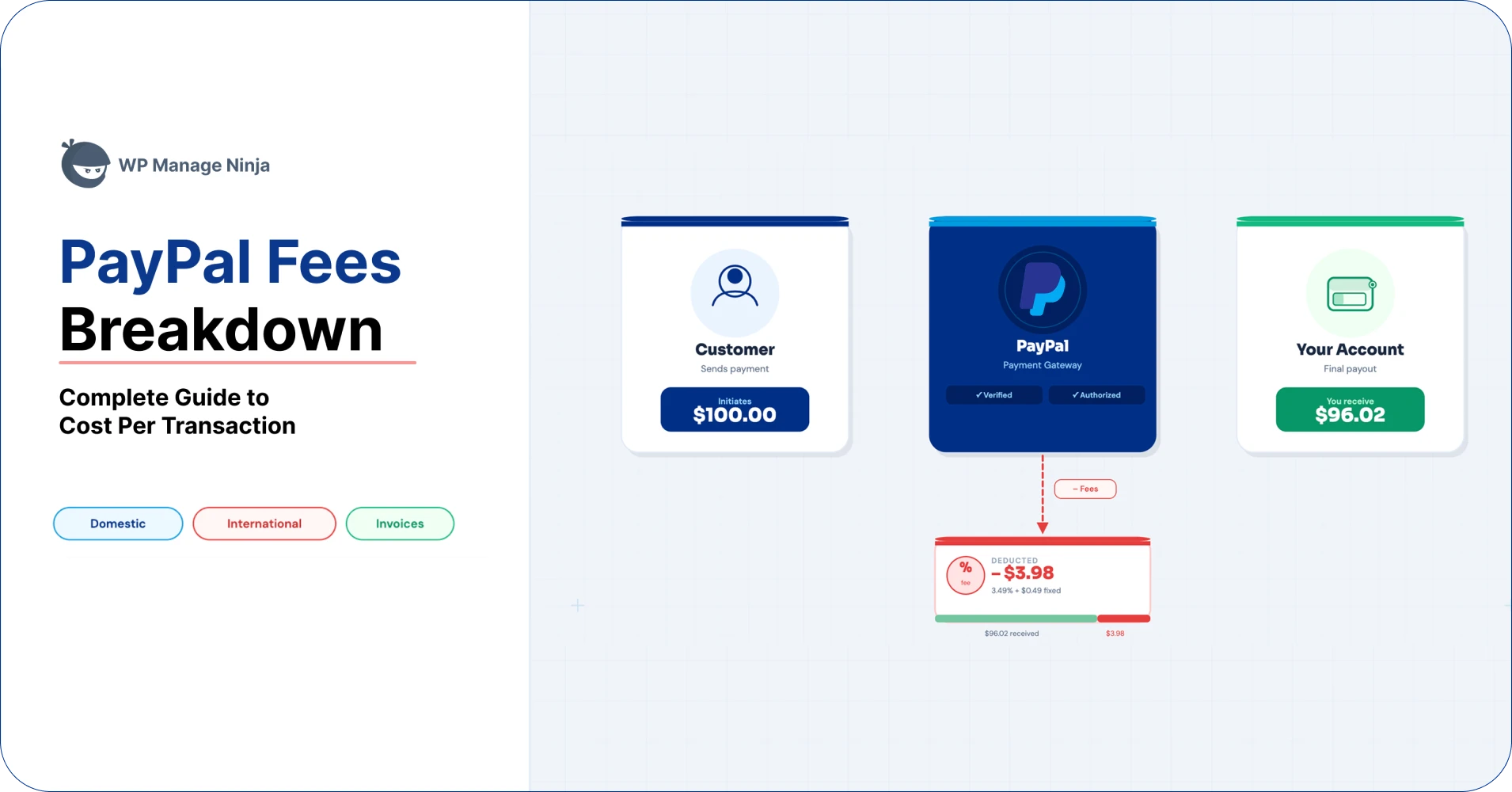
(Transaction amount x 2.99%) + $0.49
Let’s say someone made a domestic purchase of $100 with a credit card, and the fee is 2.99% + $0.49.
The PayPal credit card fee would be (100 x 2.99%) + $0.49 = $3.48
So, as a merchant, the net amount you’ll receive is ($100 – $3.48) = $96.52
That fixed fee matters a lot more in smaller transactions.
PayPal fees for goods and services payments
If someone pays you through PayPal for a product, service, or digital download, it usually falls under PayPal fees for goods and services. This type of transaction is different from personal transfers, which may have different rules and may not be intended for business use.
It charges 2.99% of your transaction amount.
PayPal International Fees or Cross-Border Transaction Fees
PayPal international payment fees are usually more than domestic ones. If the sender and receiver are in different countries, PayPal often adds a cross-border fee on top of the standard transaction fee.
The PayPal merchant fees for international transactions may vary based on the following factors:
- The sender’s country
- The receiver’s country
- The currency used
- Whether conversion is required
This is why two businesses using PayPal can see different deductions even for the same payment amount.
It charges an additional 1.5% of the transaction fee on top of the standard PayPal fees.
PayPal international fees = (Transaction amount x 2.99%) + $0.49 + (Transaction amount x 1.5%)
Suppose a customer in the UK pays $200 to your US-based business; the fee includes both the standard processing fee and an added cross-border charge.
If the total effective fee rate is higher than domestic processing, as a seller, you may receive noticeably less than expected.
The key takeaway is simple: when a payment crosses borders, always assume the final fee will be higher than the domestic rate unless you have confirmed otherwise for your region.
PayPal Currency Conversion Fees
Currency conversion is one of the most misunderstood PayPal charges. It happens when the sender pays in one currency, and the receiver wants to hold or withdraw funds in another.
How exchange rates work
(Transaction amount x 2.99%) + $0.49 + (Transaction amount x 1.5%) + Currency conversion fee.
PayPal does not just apply the market exchange rate and stop there. It typically adds a markup to the exchange rate, which means the converted amount may be slightly less favorable than the mid-market rate you see on Google or a currency converter.
That markup is the hidden cost many users miss. It typically ranges ~3% to 4% above the real (mid-market) exchange rate.
Imagine a payment of €100 is converted into USD.
If the market rate would normally give you $116, but PayPal applies a less favorable exchange rate, you may end up with slightly less than that.
It’s an international payment, plus it has a conversion fee as well, so after all the calculation, you may end up receiving $106 – $108
The cost is not always shown as a separate line item. It can be built into the exchange rate itself.
Why this matters
Currency conversion fees can quietly reduce your revenue, especially if:
- You sell internationally
- You receive donations in multiple currencies
- You price services in one currency but withdraw in another
If you deal with cross-border or SEPA payments often, this is one of the first places to check when your payout looks off.
Other PayPal Fees to Know
Beyond standard processing, a few other charges can show up depending on how you use your PayPal account.
Chargebacks
A chargeback happens when a cardholder disputes a payment through their bank or card issuer. If the dispute goes against you, PayPal may charge a fee related to the dispute process.
The PayPal dispute fees are fixed and vary by country. It can be $15–$20+ per chargeback (typical industry range).
This is one of the most painful costs because you can lose both the payment and the fee.
Refunds
Refunds are usually not the same as chargebacks, but they can still create cost issues. Depending on your region and account setup, some processing fees may not be returned when you issue a refund.
Always check your local PayPal policy before assuming a refund means the fee disappears too.
Withdrawal fees
Some regions or account setups may include fees for moving money from PayPal to your bank account, especially for instant transfers or certain payout methods.
Micropayment fees
If you sell low-cost items like templates, downloads, or small digital products, micropayment pricing can sometimes be better than standard pricing. It is designed for very small transactions where the fixed fee would otherwise eat too much of the sale.
PayPal micropayment fees:
(Transaction amount x 4.99%) + $0.09
PayPal Fees for Nonprofits
If you’re using PayPal for nonprofits, then you should know that PayPal nonprofit fees are not always the same as standard business fees. Eligible nonprofits may qualify for discounted pricing in some regions.
The standard rate of PayPal fees for nonprofits is 2.89% + $0.49 per donation.
Although for charities registered under 501(c)(3), a discounted fee of 1.99% + $0.49 is applicable per transaction.
What nonprofits should watch for
- Donations from international supporters may still trigger cross-border or conversion costs
- Recurring donations can add up over time
- Small donations can be hit hard by fixed fees
If your organization relies on small donations, the fee structure matters almost as much as fundraising volume.
How to Avoid PayPal Fees
You cannot avoid PayPal fees entirely in normal business use, but you can reduce their impact.
1. Price with fees in mind
Do not treat payment processing as an afterthought. Incorporate it into your pricing to avoid absorbing every deduction yourself.
2. Use the right currency
If possible, price and settle in the same currency to reduce conversion losses. Every unnecessary conversion is another chance to lose margin.
3. Favor larger payments over many tiny ones
Because of the fixed fee, very small transactions are hit harder. Bundling products or raising order value can reduce the relative cost.
4. Consider micropayment pricing when relevant
If your business sells low-ticket items, micropayment fees may make more sense than standard pricing. This depends on your account and region.
5. Be careful with Friends and Family
Some people search for how to avoid PayPal fees and assume “Friends and Family” is the answer. That is not a business workaround. It is meant for personal transfers, and using it for sales can create problems with PayPal policy and buyer protection.
6. Reduce refunds and disputes
The cheapest fee is the one you never have to pay twice. Clear product descriptions, strong support, and effective billing communication reduce chargebacks and refund headaches.
PayPal Fees Calculator: What to Check Before You Get Paid
Before you receive a payment, ask these questions:
- Is this domestic or international?
- Will currency conversion happen?
- Is the payment for goods and services?
- Is the transaction amount small enough that the fixed fee matters a lot?
- Could a refund or dispute change the final cost?
If you answer these first, you will stop being surprised by the payout amount.
However, there are many tools available to help you to calculate your PayPal payment processing fees. See our PayPal fees calculator using Fluent Forms.
Conclusion
PayPal fees are not random. They usually come from a mix of percentage-based transaction charges, fixed fees, international add-ons, currency conversion markups, and occasional extra costs like chargebacks or refunds.
Once you understand the structure, you can calculate your true payout more accurately, price your products with confidence, and avoid unexpected deductions.

Hey! Tipu here, working as a Marketing Strategist at Paymattic & AzonPress. A nature lover who is addicted to exploring history. In my leisure, you’ll find me playing with different musical instruments.
-

Real Estate Farming Ideas: How to Become the Go-To Agent in Your Area
From mail to digital presence, see real estate farming ideas -

How to Add Chapters to YouTube Videos [+ WordPress Embed Guide]
There are two ways to add chapters to YouTube videos: -
![How to Make Money Selling Quizzes [Beginner’s Guide]](https://xn--wpmnageninja-635f.com/wp-content/uploads/2026/04/How-to-Make-Money-Selling-Quizzes-Beginners-Guide-2-768x402.webp)
How to Make Money Selling Quizzes in WordPress [Beginner’s Guide]
If you want to earn from your quizzes, discover the
Leave a Reply
You must be logged in to post a comment.