
10 Best jQuery Table Plugins in 2026

Most HTML tables do one thing: display data. No search, no sorting, no pagination. Users scroll through rows with no way to find what they need.
jQuery table plugins were built precisely to solve this by transforming plain HTML tables into interactive data displays without a full frontend overhaul.
This article covers the 10 best options in 2026; what each does well and how to pick the right one.
- jQuery powers about 77% of the top 10 million websites, keeping its plugin ecosystem continuously relevant in 2026
- DataTables is the most feature-rich option for enterprise-scale data grids
- Tabulator handles large JSON datasets with excellent performance and zero jQuery dependency in newer versions
- Handsontable delivers a spreadsheet-like experience for edit-heavy workflows
- jQuery TableSorter, treetable, SlickGrid, and Herotable each serve focused, specific use cases
- FooTable and Bootstrap Table are the go-to choices for responsive and mobile-first projects
- For WordPress users, dedicated table plugins offer a no-code solution to interactive tables
- Ninja Tables is a strong fit when you want a WordPress-first table solution with a practical UI and custom styling options
What is a jQuery Table Plugin?
The term “jQuery data table” is often used interchangeably, though it technically refers to any data grid built on a jQuery foundation. Related tools such as Bootstrap tables and jQuery DataTables refer to specific implementations within this ecosystem.
An HTML table does one thing: display rows and columns of data. A jQuery table plugin layers on top of that structure to add features like instant search, column sorting, pagination, AJAX data loading, row filtering, export options, and responsive layouts.
Under the hood, the jQuery-powered plugins sit between the raw table markup and the UI layer, listening for user events and changing the DOM based on table state.
These plugins work by targeting a table element using jQuery selectors, then initializing a set of behaviors through a simple JavaScript call.
Most require minimal configuration to get started and support deep customization through options, callbacks, and extensions.
Using this functionality, they provide great customization and flexibility to present data in useful ways.
Why jQuery Table Plugins Still Matter in 2026
Developers have called jQuery obsolete for years. The actual usage numbers say otherwise. According to W3Techs, jQuery runs on 77.8% of the top 10 million websites as of 2025.
Much of that is legacy code. Unfashionable and unreliable are not the same thing in tech. Legacy jQuery projects have been making that case in production, quietly, for years.
Enterprise platforms, government sites, and WordPress-powered businesses use jQuery because rebuilding is expensive and carries real risk.
jQuery 4.0.0, released in 2024, also modernized the library for current web standards, which gives the ecosystem additional stability for 2026 and beyond.
The plugins on this list are not relics. They are actively maintained, well-documented, and solve problems that still exist on real production websites.
At a Glance
Here is a practical look at the strongest options and what each one is best for:
jQuery Table Plugins | Best For | License | Key features |
DataTables |
|
|
|
Tabulator |
|
|
|
Handsontable |
|
|
|
Bootstrap Table |
|
|
|
jQuery TableSorter |
|
|
|
FooTable |
|
|
|
jqGrid |
|
|
|
jQuery treetable |
|
|
|
SlickGrid |
|
|
|
Herotable |
|
|
|
The 10 Best jQuery Table Plugins in 2026
jQuery is not going anywhere. With nearly 195 million websites depending on it, the ecosystem remains one of the most relevant in web development.
The plugins covered in this list represent the strongest options for turning flat HTML tables into interactive, data-rich interfaces that actually serve users.
DataTables
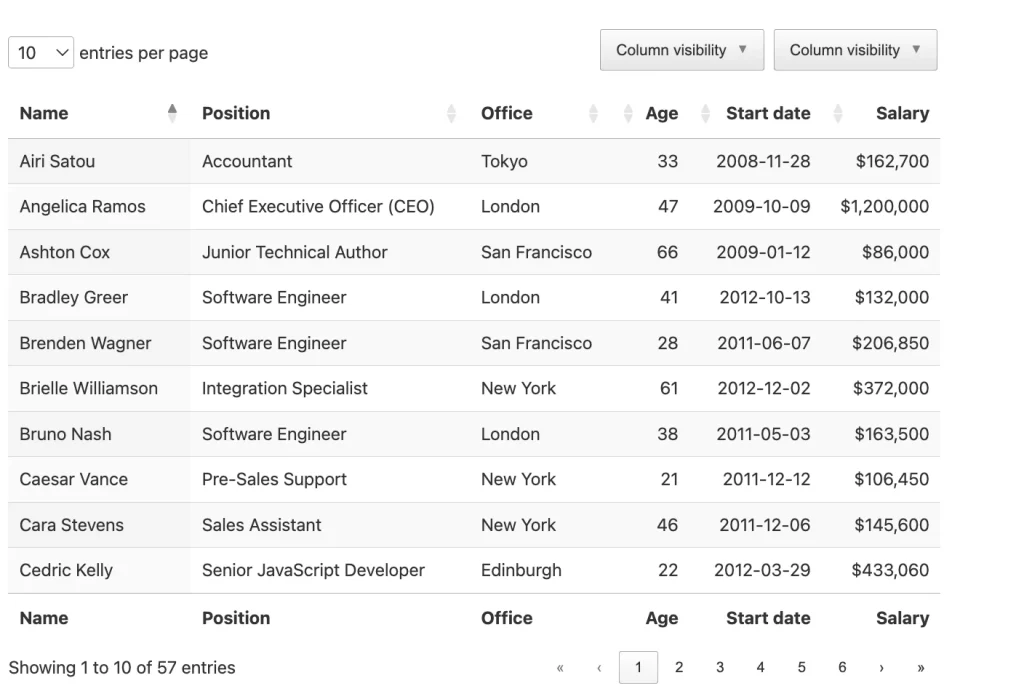
DataTables is the most widely adopted jQuery table plugin available. A single line of JavaScript targeting your table ID activates sorting, instant search, and pagination out of the box.
The plugin integrates with Bootstrap, Foundation, jQuery UI, and Semantic UI without styling conflicts, and the documentation covers every configuration option in detail.
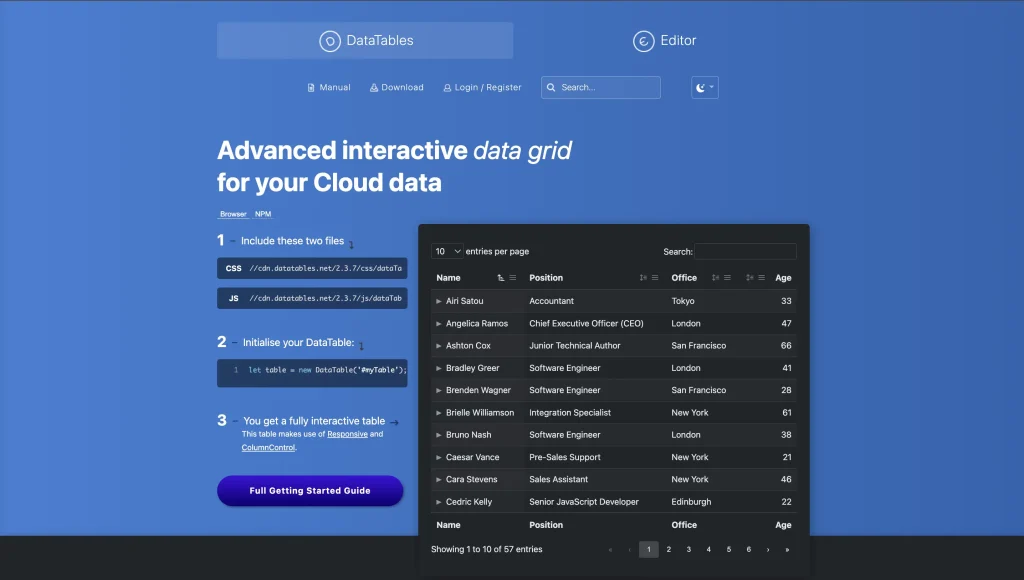
Beyond the defaults, DataTables supports AJAX data loading, server-side processing for large row counts, multi-column sorting, and a broad extension library.
Extensions add fixed headers, column reordering, responsive layouts, and export buttons. Enterprise licenses include direct developer support, which makes DataTables the standard choice for mission-critical data interfaces.
Tabulator
Tabulator started as a jQuery plugin and has since evolved into a standalone JavaScript library that no longer requires jQuery as a dependency.
That flexibility lets it work in both legacy jQuery environments and modern frontend projects. Performance is where Tabulator separates itself most clearly from the competition.
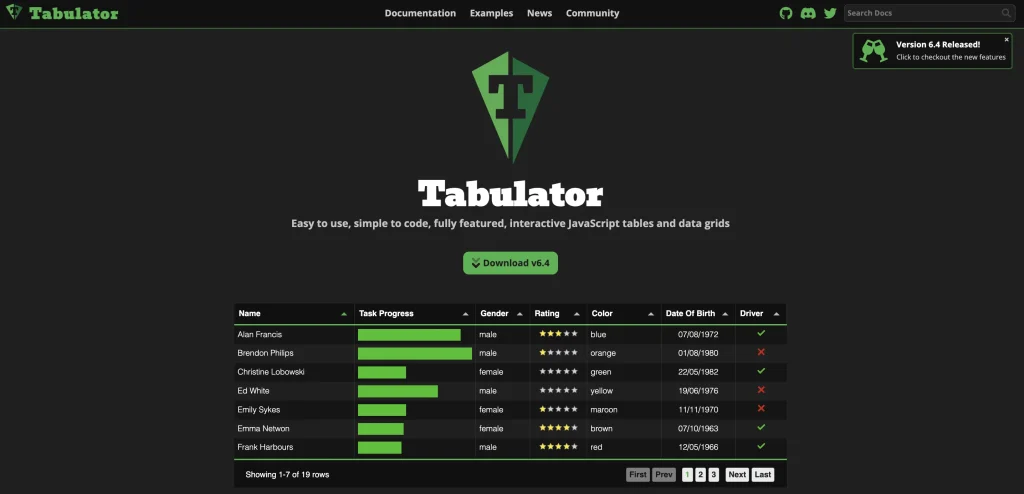
The library uses virtual DOM rendering, drawing only the rows visible in the current viewport. This keeps the interface smooth, even with datasets running into tens of thousands of rows.
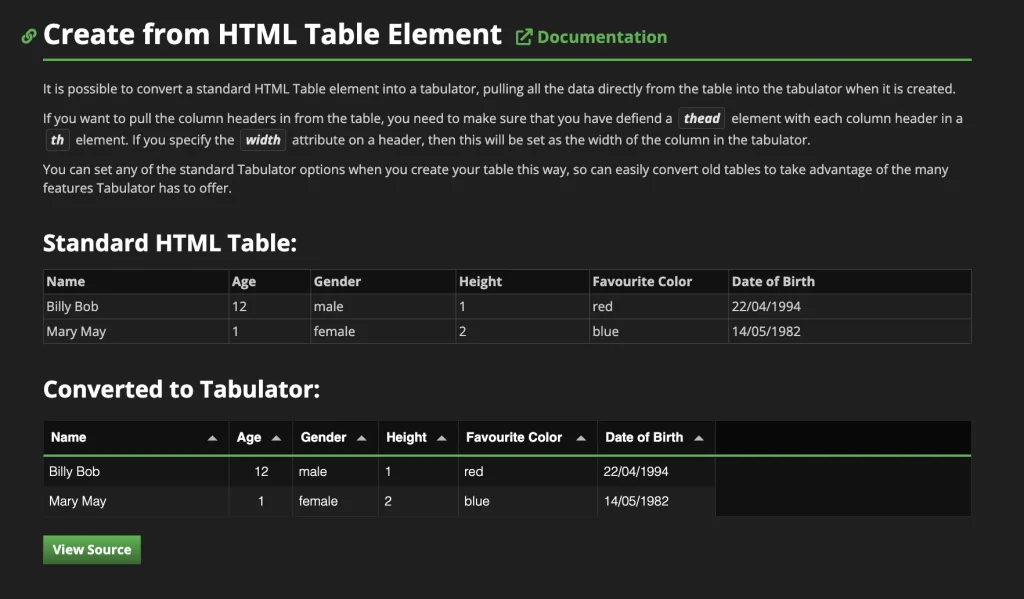
Tabulator accepts data from HTML tables, JavaScript arrays, JSON, and AJAX feeds. Features include inline editing, row grouping, column resizing, calculated columns, and footer summation.
Handsontable
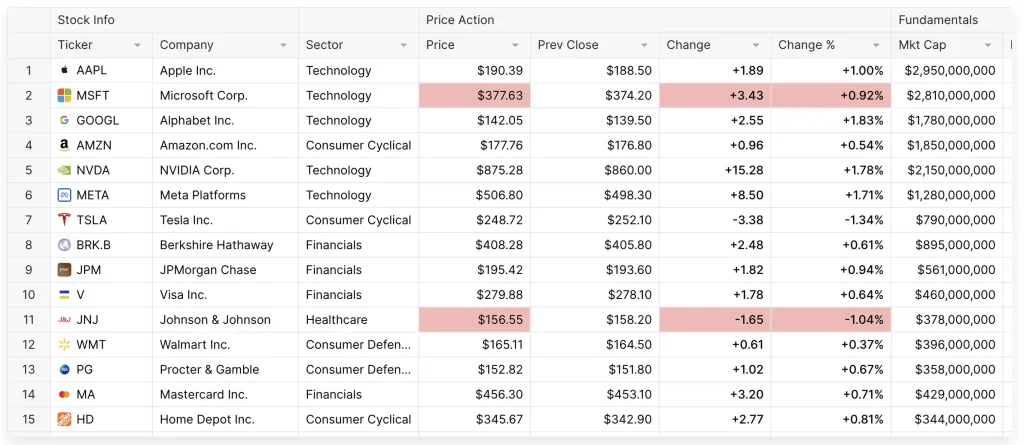
Handsontable is not a display-only table plugin. It gives users a fully editable, Excel-like interface inside the browser. People can click cells to edit them, paste data from spreadsheets, validate inputs on entry, and interact with data the way they would in a desktop application.
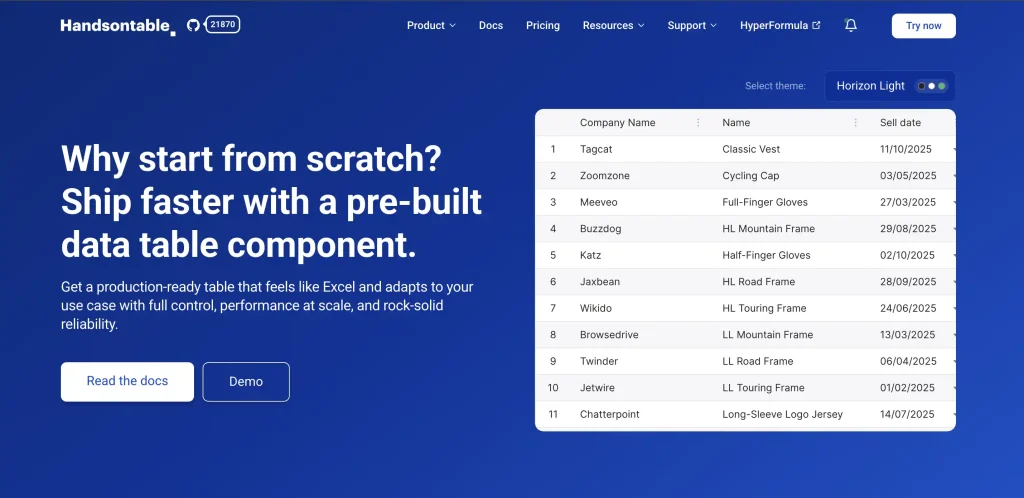
This makes Handsontable appropriate for financial tools, admin panels with complex data entry, and bulk editing workflows.
It supports conditional formatting, dropdown cells, date pickers, custom cell renderers, and formula parsing.
The plugin is free for personal and non-commercial use. Business use requires a commercial license, starting at $790 per developer.
Bootstrap Table
Bootstrap Table is built specifically for projects already using the Bootstrap framework. It extends Bootstrap’s native table styles with interactive features while keeping the visual output consistent with an existing Bootstrap design system.
Setup uses data- attributes added to HTML rather than JavaScript initialization, which cuts configuration time significantly.
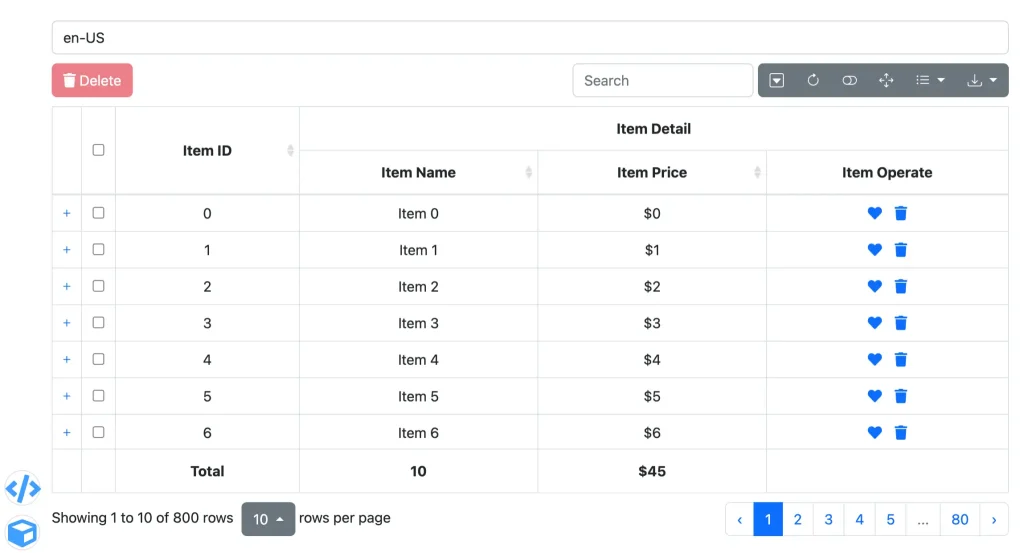
The plugin supports sortable columns, pagination, searching, row selection, fixed headers, and AJAX data loading. It works across Bootstrap 3, 4, and 5.
A community extension library adds tree table support, editable rows, and export functionality. For teams on Bootstrap who want interactive tables without significant overhead, this is a practical first choice.
jQuery TableSorter
TableSorter adds sortable column behavior to any existing HTML table with minimal setup. The plugin reads existing table markup and handles sorting from there without requiring a full data pipeline.
It supports text, numbers, currency, dates, and alphanumeric strings as sortable data types.

Multi-column sorting and a custom parser system make TableSorter flexible across varied content types. A feature-expanded fork called
TableSorter 2.0 adds filtering, paging, and a widget system on top of the core plugin. For static or lightly dynamic tables where column sorting is the primary need, this is the most friction-free path available.
FooTable
FooTable takes a specific approach to the responsive table problem. Rather than shrinking or horizontally scrolling a wide table on mobile, it hides selected columns at defined breakpoints and lets users expand individual rows to reveal hidden data.
This keeps tables readable on small screens without losing any information.
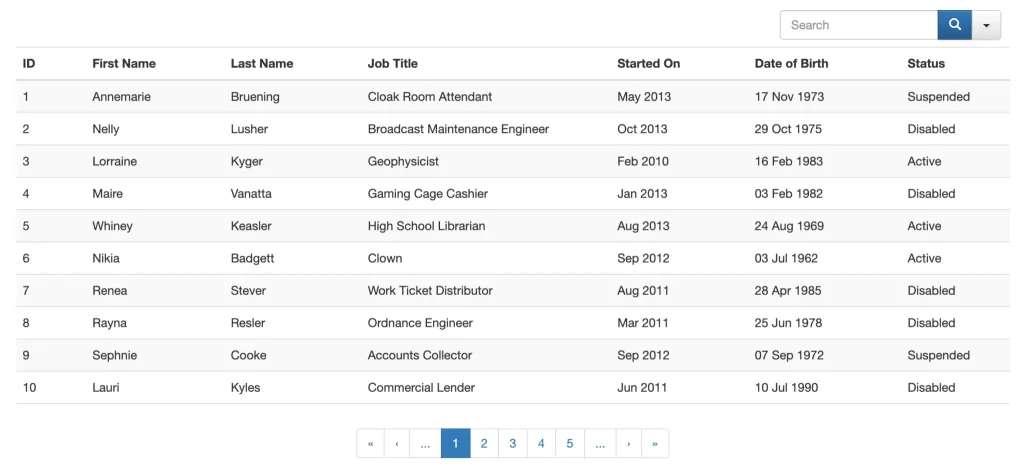
Column visibility at each breakpoint is controlled through data- attributes in the HTML markup. FooTable handles the expand and collapse logic automatically. Optional sorting and filtering modules load as needed.
For product listings, pricing comparisons, and schedule tables on mobile-first projects, this plugin solves the responsiveness problem in a way CSS-only approaches cannot.
jqGrid
jqGrid is one of the older but still recognizable table grid plugins for complex data views. It is a feature-rich jQuery grid plugin built for complex data tables and admin-style interfaces.
This plugin supports sorting, pagination, filtering, inline editing, and server-side data handling, making it a strong choice when the table needs more than basic display behavior.
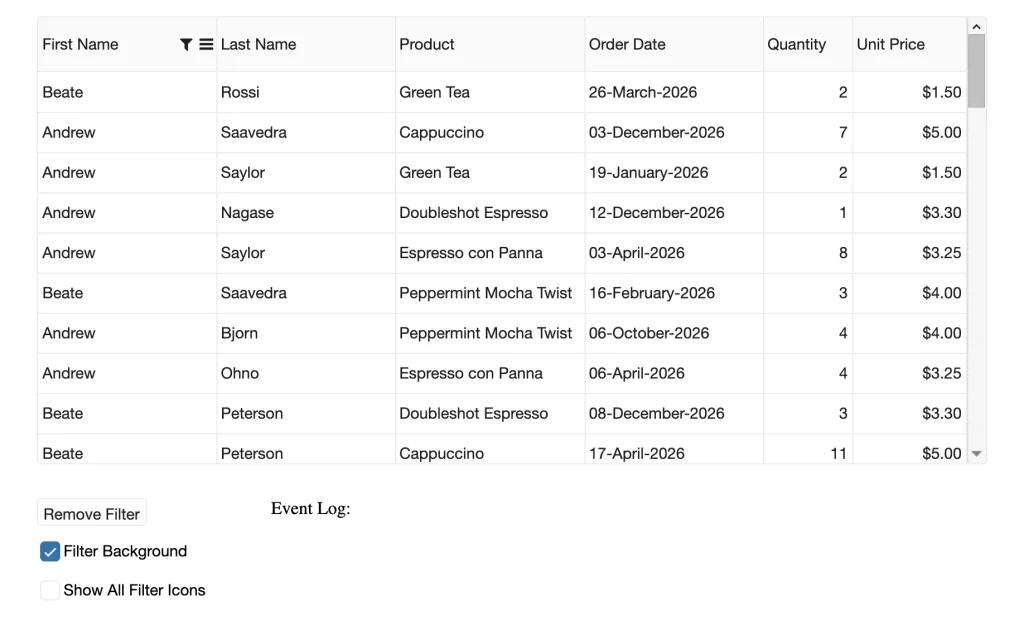
For projects that involve editable records, larger datasets, or structured data management, jqGrid gives you a powerful table layer without having to build the full grid system from scratch.
Internal dashboards, back-office tools, inventory screens, and data-heavy applications work well with this plugin when control is the priority.
jQuery treetable
jQuery treetable handles a specific display problem: showing hierarchical, parent-child data inside a table structure.
It transforms a standard HTML table into an expandable and collapsible tree, letting users drill into nested data without leaving the table view. Relationship data comes from data attributes set directly in the HTML markup.
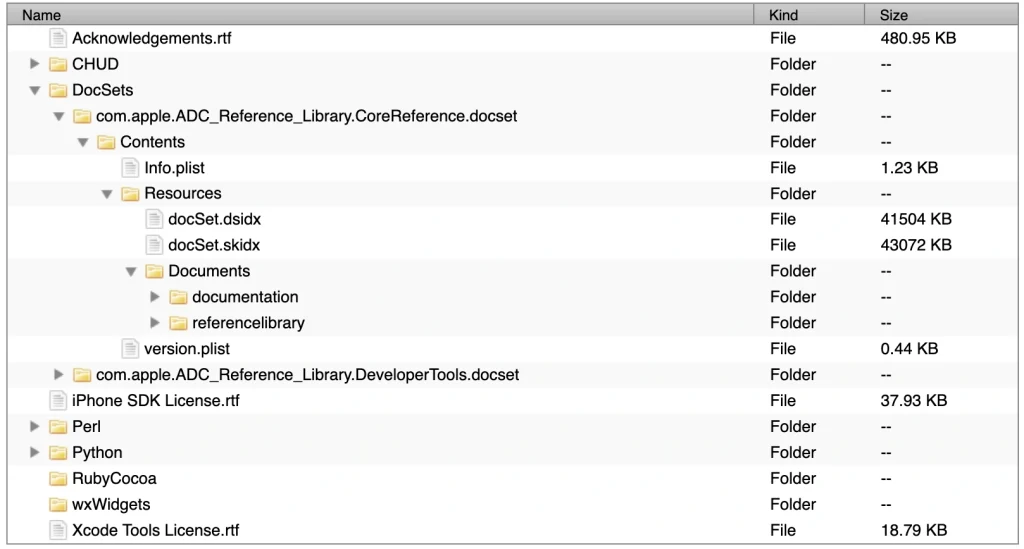
Applications include file system directories, category hierarchies, organizational structures, product variant groupings, and multi-level content listings.
Flat-table plugins require workarounds to replicate what jQuery treetable handles natively. For datasets with built-in hierarchy, this plugin is the most direct jQuery-based path to a functional tree display.
SlickGrid
SlickGrid is a high-performance grid plugin built for large datasets and fast, spreadsheet-like interaction. It is designed to handle dense tables without slowing the browser down, which makes it a strong fit for internal tools, dashboards, and data-heavy interfaces that need smooth scrolling and quick rendering.
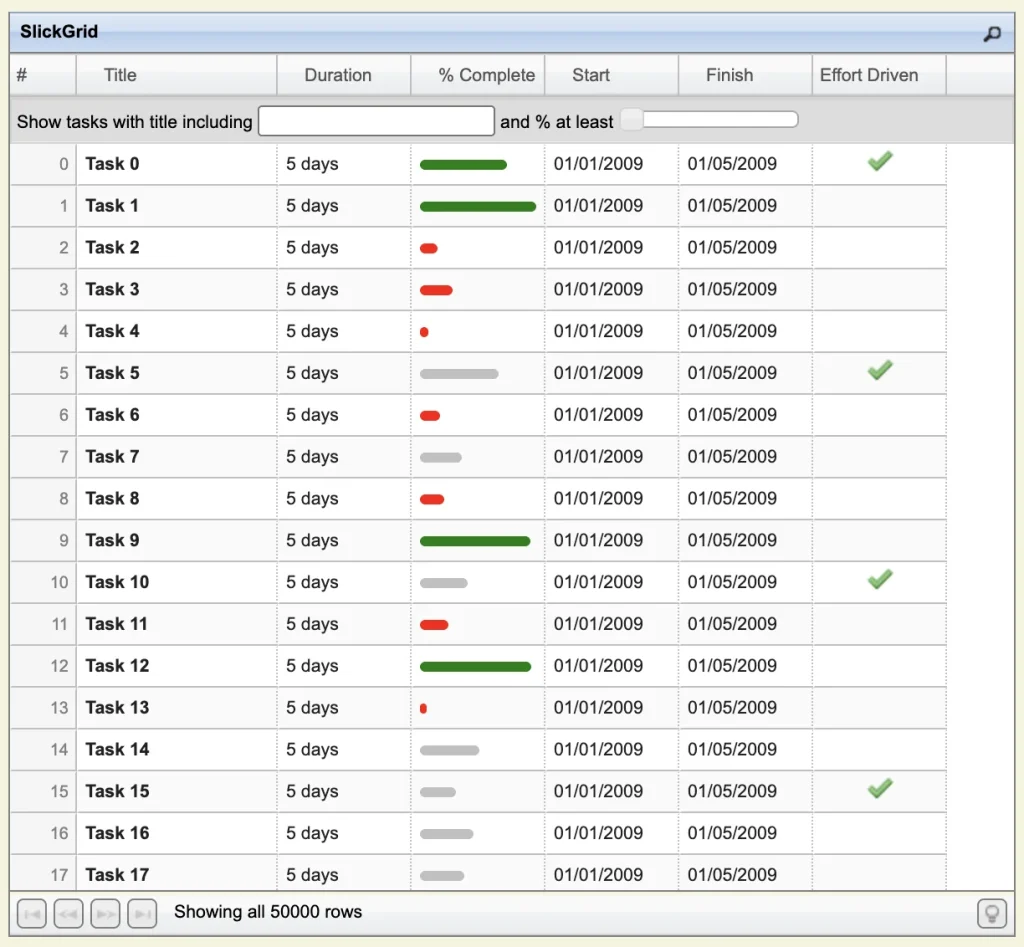
For projects that need serious data handling rather than simple display tables, SlickGrid gives you the speed and structure to manage large row counts efficiently.
It is better suited to developer-led builds than content-team workflows, but it remains a solid option when performance is the main priority.
Herotable
Herotable is a newer entry that combines sorting, filtering, searching, and footer summation into one plugin without requiring multiple extensions.
The default interface is clean and modern, and the footer summation is particularly useful for financial tables where totals or averages need to display automatically below data rows.
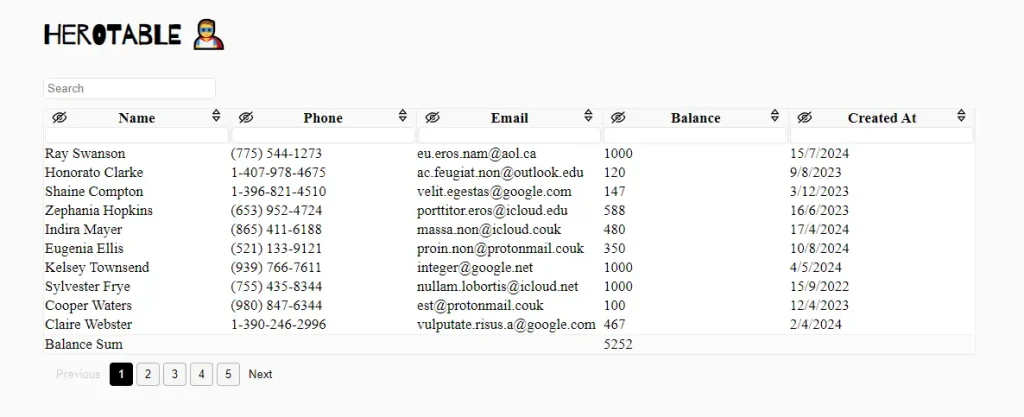
The codebase is actively maintained, and the documentation is accessible for developers at different experience levels.
For teams that want one plugin to handle multiple table behaviors without DataTables’ extension configuration overhead, Herotable is worth evaluating alongside the more established options on this list.
How to Choose the Right jQuery Table Plugin
Every plugin on this list solves a specific problem. Choosing the wrong one means configuring features you do not need or missing tools your project requires. These criteria will narrow the decision:
- Large dataset performance: Tabulator handles tens of thousands of rows without lag through virtual DOM rendering
- User-editable data: Handsontable is the only plugin here with a full Excel-like editing layer
- Bootstrap 5 consistency: fancyTable or Bootstrap Table stays visually aligned without CSS conflicts
- Mobile responsiveness: FooTable’s column-hiding approach works better than CSS scaling for wide tables on small screens
- Maximum feature depth: DataTables has the broadest extension ecosystem and the most established enterprise support
- Hierarchical data: jQuery treetable handles parent-child relationships that flat-table plugins cannot replicate natively
jQuery Table Plugins vs. WordPress Table Plugins
jQuery table plugins operate at the code level. You write HTML and JavaScript to implement them. For developers comfortable with that workflow, they are the right tool.
WordPress site owners managing content without a developer or expert technical knowledge face a steeper path. For WordPress users evaluating the best WordPress table plugins, the criteria shift. WooCommerce integration, Gutenberg block support, conditional row styling, and frontend filtering without code become the relevant factors.
A pure jQuery plugin comparison does not address all these needs.
WordPress-specific table plugins handle the same display challenges through a no-code interface.
Ninja Tables, for example, lets you build searchable and sortable tables through a drag-and-drop editor, import data from CSV or Google Sheets, and publish with a shortcode.
Ninja Tables Features
If responsive table design on a WordPress site is the goal, a dedicated WordPress plugin is a faster and more maintainable path than manually configuring jQuery plugins inside theme files.
Ninja Tables makes the most sense when you need a WordPress jQuery table plugin that is easy to maintain, but still flexible enough for real business use. That includes product specs, pricing lists, comparisons, and big data pages that need regular updates.
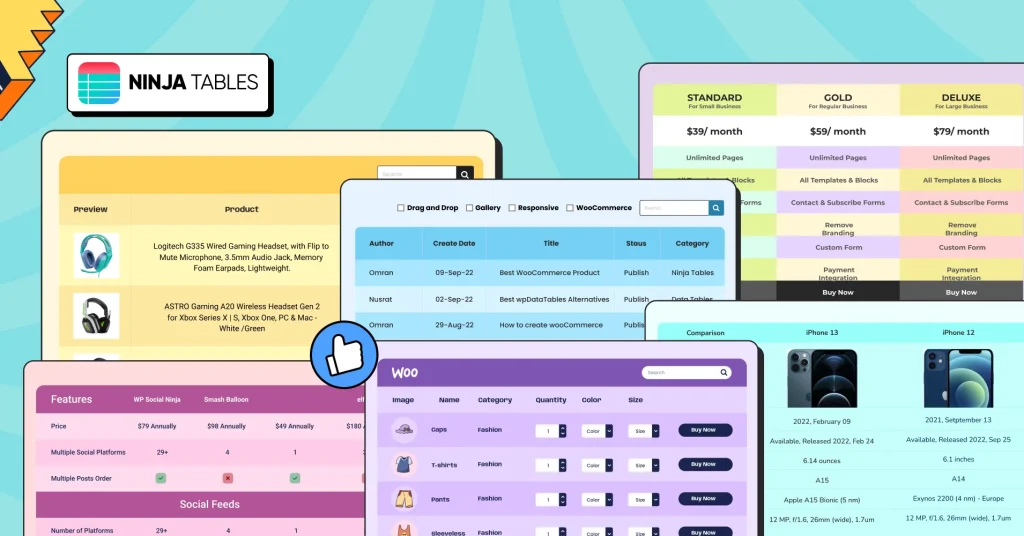
Already on WordPress? Ninja Tables lets you build sortable, filterable, and responsive tables without writing a line of jQuery. See what Ninja Tables can do and skip the jQuery setup entirely.
Ninja Tables Pricing
Save 20%
1 Domain License
Super Saver
Save 20%
20 Domain License
Save 20%
Unlimited Domain License
*Grab a special discount on your first year with us!
Save 20%
1 Domain License
Super Saver
Save 20%
20 Domain License
Wrapping Up
The plugins here cover every major jQuery table use case in 2026. That is not a one-size-fits-all stack. Some sites need the most flexible tool, while others need the simplest one that keeps editors moving.
If you are choosing tools, it helps to think in terms of fit rather than feature count. The right choice depends on what matters most to you: speed, control, ease of use, or long-term maintenance.
So instead of asking which plugin is best in the abstract, ask which one is best suited for your priority right now. If you manage a WordPress site, you do not need to configure any of these manually. Ninja Tables gives you interactive, styled, responsive tables through a visual builder.

Hi there! I’m a creative content writer at Ninja Tables, WPManageNinja. I love writing on diverse topics and when I’m not writing, you’ll find me chilling with a book.
-

Online Business Ideas, Examples and Tools Needed That Works in 2026
Explore 30+ online business ideas that work. Find service, product, -

Product Launch Strategy: Step-by-Step Guide + Templates [2026]
Learn how to build a product launch strategy that actually -

Real Estate Farming Ideas: How to Become the Go-To Agent in Your Area
From mail to digital presence, see real estate farming ideas
Comments
-
Very nice blog post. I absolutely love this site. Keep writing!
-
Hello, great work. I really appeaciate the data you are providing through your site, i have alwasy find it helpful. Keep up the nice work.
-
Thanks for the review. Would be nice if you can also list the download size of the libraries.
Thanks.
-
[…] Download Image More @ xn--wpmnageninja-635f.com […]



Leave a Reply
You must be logged in to post a comment.